
A promo can be used in either CloudKO Lite or the KEY36 Photoshop plugin. Extractions are interchangeable between the two applications. ie. If you activate your promo code in CloudKO Lite, you can use the extractions in both CloudKO Lite & KEY36 as
CloudKO Lite:
1. Create an account or login to your account at https://app.cloudko.com/
2. Navigate to the CloudKO Lite Jobs tab and click on "Add Promo Code"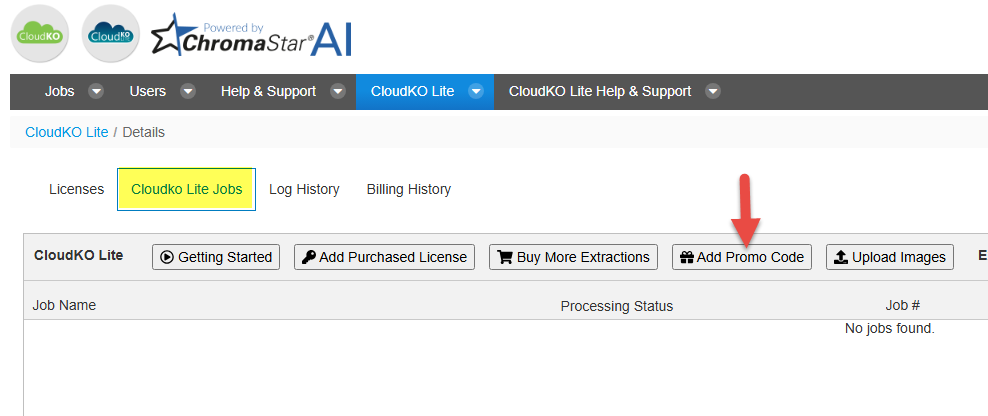
KEY36:
Run the plugin on an image by navigating to File -> Scripts -> KEY36. Click on the Promo Code button and enter your promo code to receive your free extractions.
If you do not yet have the KEY36 add-on, you can download and install it from here.