
TABLE OF CONTENTS
- Before adding photographers to EVA, an image-to-photographer matching method should be chosen.
Image matching methods.
Camera hardware ID.
- This is the default image matching method.
- Images are automatically assigned to photographers based on the unique ID of the camera used to capture the photo.
- The hardware ID is found in the images' exif data.
- When a camera is assigned to a photgrapher, the hardware ID will either be entered manually, or found automatically by EVA using a sample image taken from the camera. Learn more about that here.
- Every time images are uploaded to EVA for scoring, EVA will find the camera hardware ID in the images' exif data, and they will be matched to the photographer with those camera hardware IDs assigned to them.
- If cameras are shared among photographers, or if a software is used that strips images' exif data after editing and saving the images, then this matching method will not work.
File name or folder.
- If your workflow includes a unique identifier for each photographer in the file name or folder name, we can use that to assign images to the correct photographer.
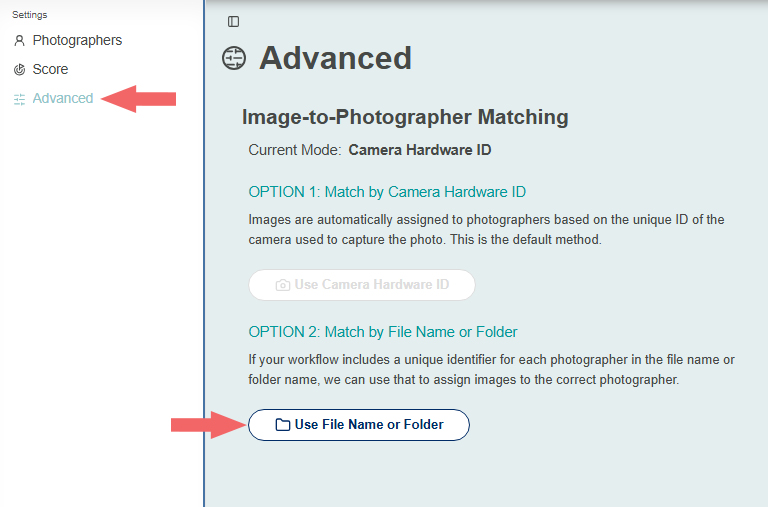
- Click the gear icon at the top of the page to access the settings.

- Click Advanced, and then click Use File Name or Folder.
- If you have already uploaded images into EVA, you can autofill the image paths by clicking Autofill from EVA Images, and then fill in the ID column with the photographer's unique identifier as it appears in the image path.
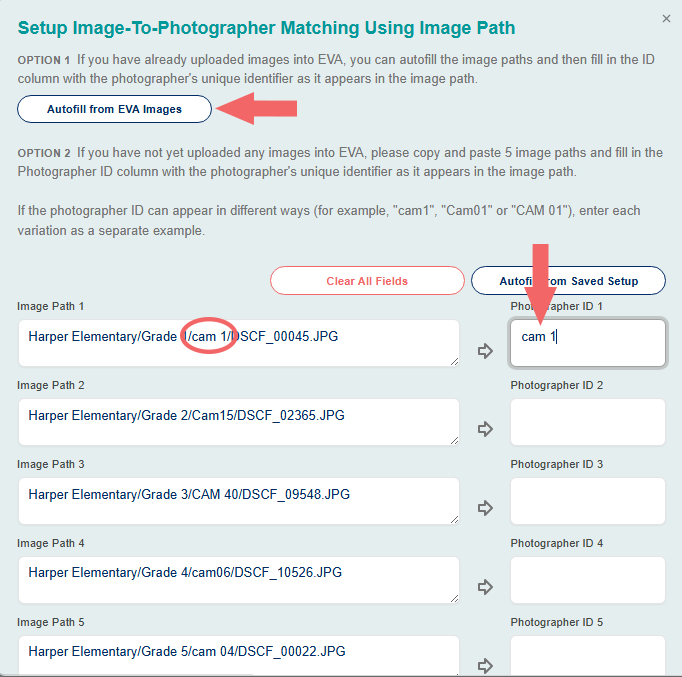
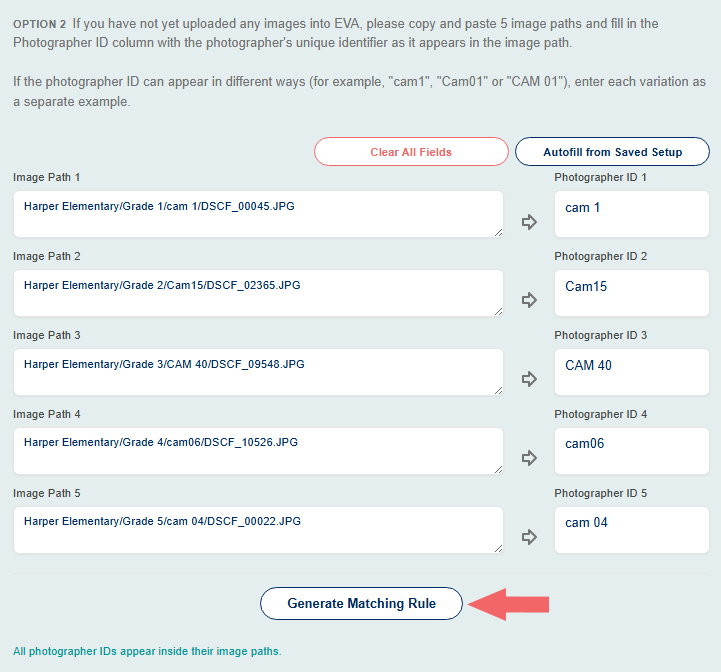
- If you have not yet uploaded images into EVA, copy and paste 5 images paths and fill in the Photographer ID column with the photographer's unique identifier as it appears in the image path.
- If the photographer ID can appear in different ways, for example "cam1, "Cam01" or "CAM 01," enter each variation as a separate example.
- Once five image paths and IDs have been entered, click Generate Matching Rule.
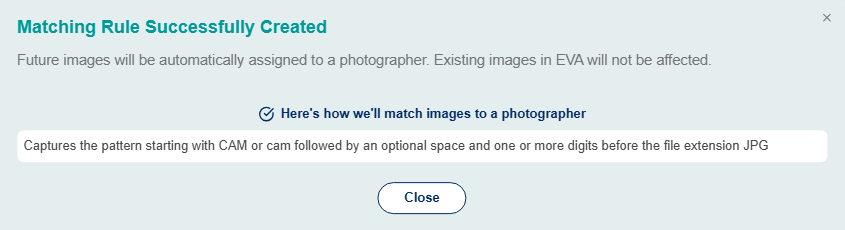
- Once the rule is generated, you will receive this pop up. Only future images will be automatically assigned to a photographer using this matching rule, and not images that were previously uploaded to EVA.
- Every time images are uploaded to EVA for scoring, EVA will find the unique identifier in the image path and match the images to the photographer associated with the matching identifier.
- This method will not work if you are not consistent with your file name or folder formats.