
TABLE OF CONTENTS
- Roles in EVA.
- Adding Users
- Assigning Roles
- Adding Additional Roles
Roles in EVA.
EVA Report Super Admin.
- Super Admins have access to everything in EVA.
- They are the only user who can access the advanced settings (Image-to-Photographer Matching and Manager Tag Assignment).
- A Super Admin can also have the EVA Report Territory Manager access role.
EVA Report Admin.
- Admins have access to everything except the advanced settings (Image-to-Photographer Matching and Manager Tag Assignment ). This page is viewable , but not editable.
- An Admin can also have the EVA Report Territory Manager access role.
EVA Report Territory Manager.
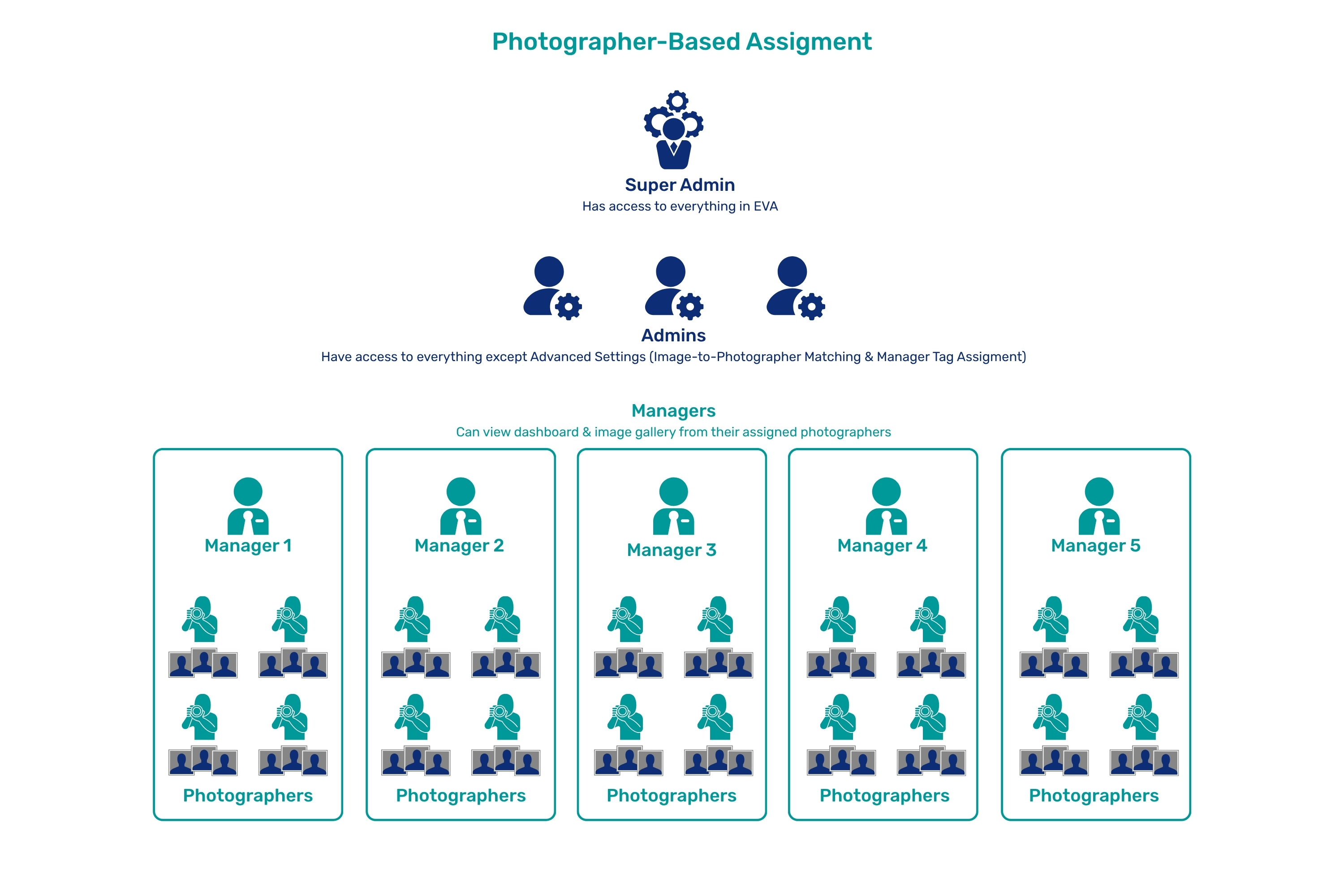
- Photographer-Based Tag Assignment.
- Managers can view the dashboard and image gallery for their assigned photographers.
- The score and photographer settings pages are viewable, but not editable for managers.
- Managers can view the dashboard and image gallery for their assigned photographers.
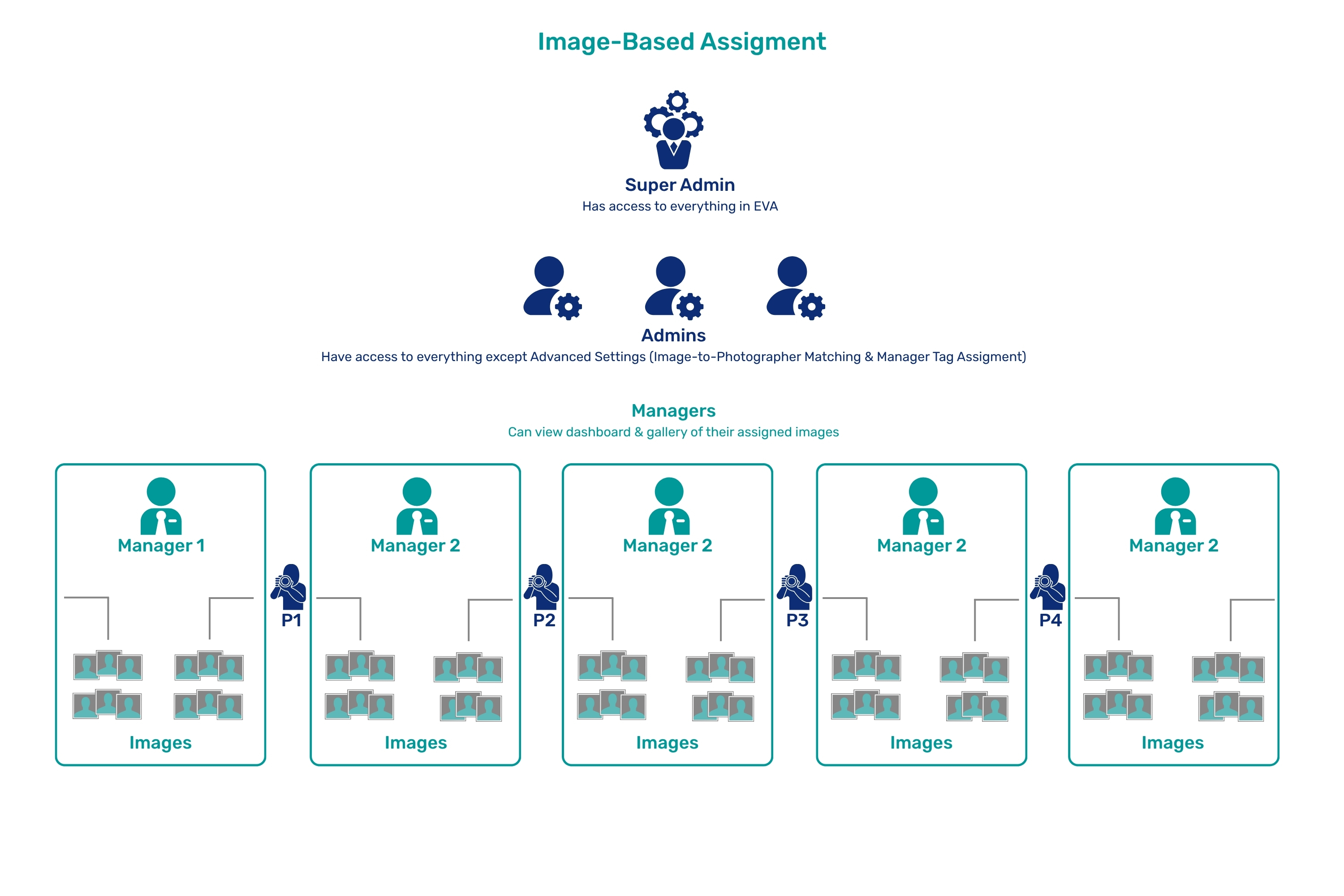
- Image-Based Tag Assignment
- Managers can view the dashboard and gallery of their assigned images.
- The score and photographer settings pages are viewable, but not editable for managers.
- Managers can view the dashboard and gallery of their assigned images.
Photographer.
- What a photographer sees in EVA can be customized on the Photographer settings page by an Admin or Super Admin. Learn more here.
Adding Users
- Users are added to EVA by logging in to CloudKO (Photographers are added directly in EVA. You can learn how to do that here). Your CloudKO and EVA email and password are the same.
- Your CloudKO account link depends on your location.
- US: app.cloudko.com
- Canada: app-ca.cloudko.com
- Europe: app-eu.cloudko.com
- To add a user to CloudKO, you must be assigned the KO Admin role. Your 36Pix rep will assign this role to an admin when creating your EVA account. KO Admins can assign the KO Admin role to other users in CloudKO.
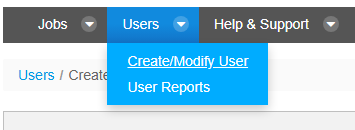
- Once logged in to CloudKO, go to "Users -> Create/Modify User" in the menu.
- Click, "Add new user."
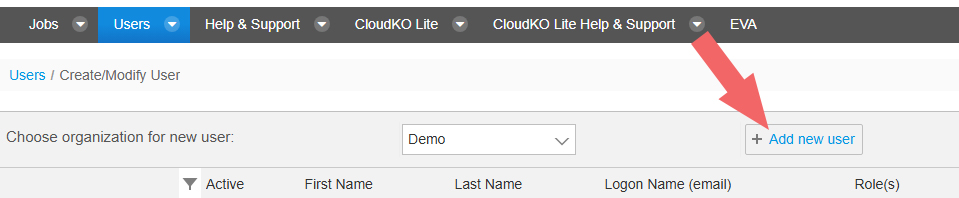
- Enter in the user's name and email address.

Assigning Roles
- When adding a user, you must assign a role to the user so they can have EVA access.
- Click the roles dropdown in the "Role(s)" column when adding the new user, and choose a role from the list.

- Click, "Update."

Adding Additional Roles
- An EVA user can have multiple roles assigned. After creating the user and assigning a role, you can add more roles by clicking, "Change Roles" in the new user's row.

- Click the "Add" button next to the role or roles you want to add for the user.
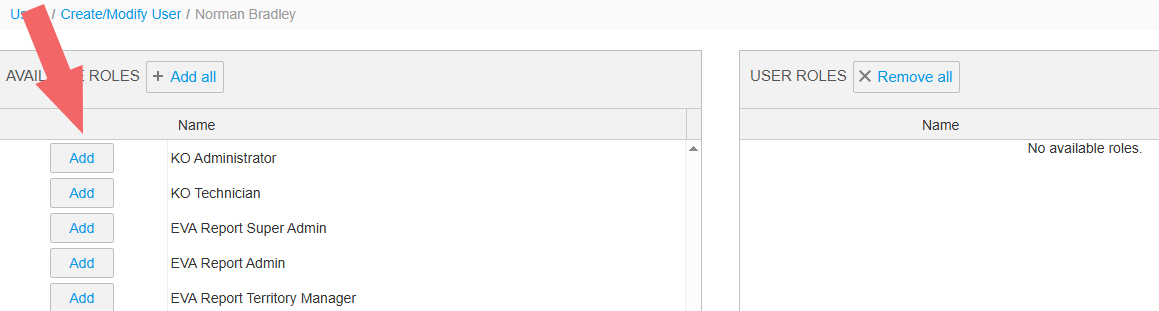
- An EVA user can have multiple roles assigned. After creating the user and assigning a role, you can add more roles by clicking, "Change Roles" in the new user's row.